
Climate React
Climate React automatically controls your AC based on conditions you choose, such as room temperature, humidity, or the “feels like” value. It can turn the AC on or off and adjust the AC state when the room rises above or drops below your selected thresholds.
Climate React checks temperature and humidity every 90 seconds, so allow a short delay after conditions change.
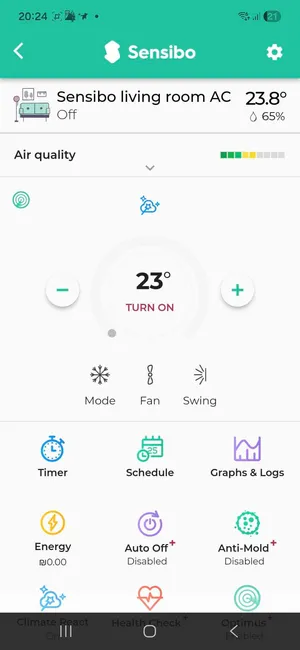
How Climate React Works
Climate React uses simple rules:
- Choose what should trigger the automation: Temperature, Humidity, or Feels like.
- Choose whether the rule should run when the value goes above or below your threshold.
- Choose what the AC should do, such as turn On or Off, change mode, adjust fan level, move swing, or set a target temperature.
- Save the automation.
Set Up Climate React
- Open the Sensibo app.
- Select the device you want to automate.
- Scroll to the feature menu and tap Climate React.

- Open the Trigger menu and choose Temperature, Humidity, or Feels like.
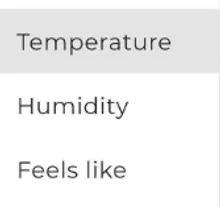
- Set the threshold with the slider or the plus and minus controls.
- Keep Change AC state selected if you want Sensibo to control the AC when the condition is met.
- Tap each setting label to choose the AC action you want.
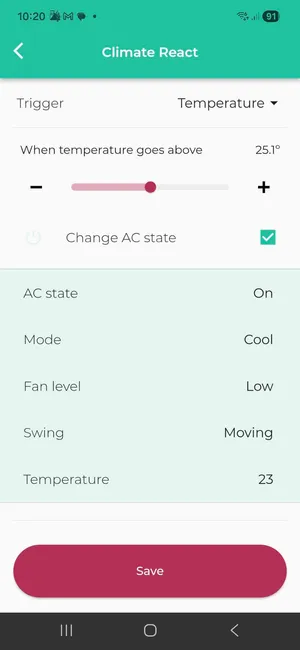
For example, you can choose whether the AC should be on or off, which mode to use, and which target temperature to set.
- Tap Save.
Enable or Disable Climate React
You can enable or disable Climate React from the device screen by tapping the small Climate React icon on the main control screen.
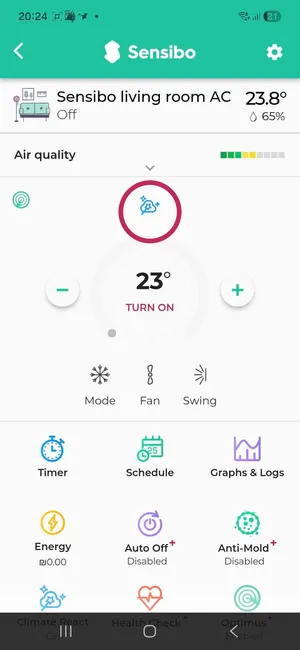
When the icon is blue, Climate React is enabled. Tap the circled area to disable it:

When the icon is grey, Climate React is disabled. Tap the circled area to enable it:

Recommended Starting Points
Use these examples as starting points and adjust them to your room, AC model, and comfort preferences.
Winter Comfort
- When temperature rises above 21°C (70°F), turn the AC Off.
- When temperature drops below 18°C (64°F), turn the AC On in Heat mode at 26°C (79°F).
Summer in Humid Environments
- When humidity goes above 85%, turn the AC On in Dry mode at 22°C (72°F).
- When humidity drops below 72%, switch to Cool mode at 23-24°C (73-75°F).
Summer in Non-Humid Environments
- When temperature rises above 24.5°C (76°F), switch to Cool mode at 22-23°C (72-73°F).
- When temperature drops below 22°C (72°F), switch to Fan mode with a target setting around 23°C (73°F).
Tips
- Leave a small gap between your “turn on” and “turn off” thresholds to avoid frequent changes.
- Use Humidity with Dry mode in humid rooms.
- Use Feels like when both temperature and humidity affect comfort.
- If Climate React does not run immediately, wait at least 90 seconds and check that the feature is enabled.